The Goodbudget team has been hard at work this year keeping things running, and making updates so the app and website work better for you.
In addition to regular maintenance that keeps Goodbudget running like a well-oiled-machine, Goodbudget also received a few additional features in 2025. Here’s a brief recap of the highlights.
Match Duplicate Transactions on Web and iPhone
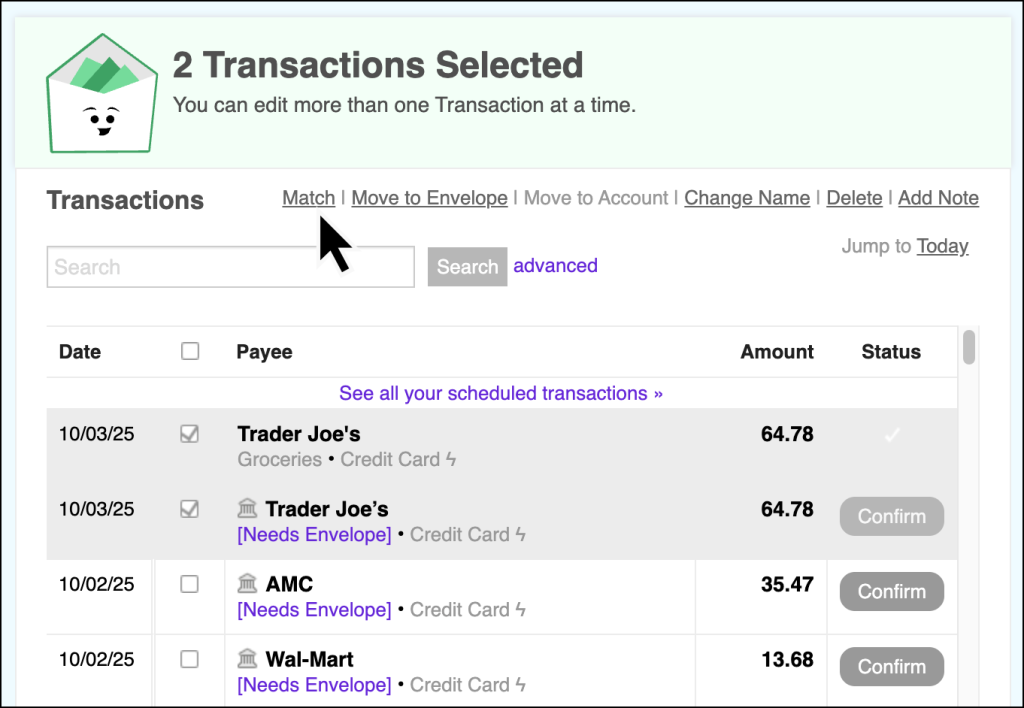
Got duplicate transactions? That’ll happen if you continue to manually record transactions when you have a linked Account using the Premium plan, or if you use the Upload Bank File Tool on the Free plan.
Up until now, the only way to deal with those duplicates was to delete the extra entry. Now, you can manually match the manual entry with the imported one to create one merged transaction that combines the information of both transactions.
Read more about how Match can work for you on our blog.
iPhone: Swipe the blue dots. Save time.
The Premium plan already saves you time by automatically importing your transactions.
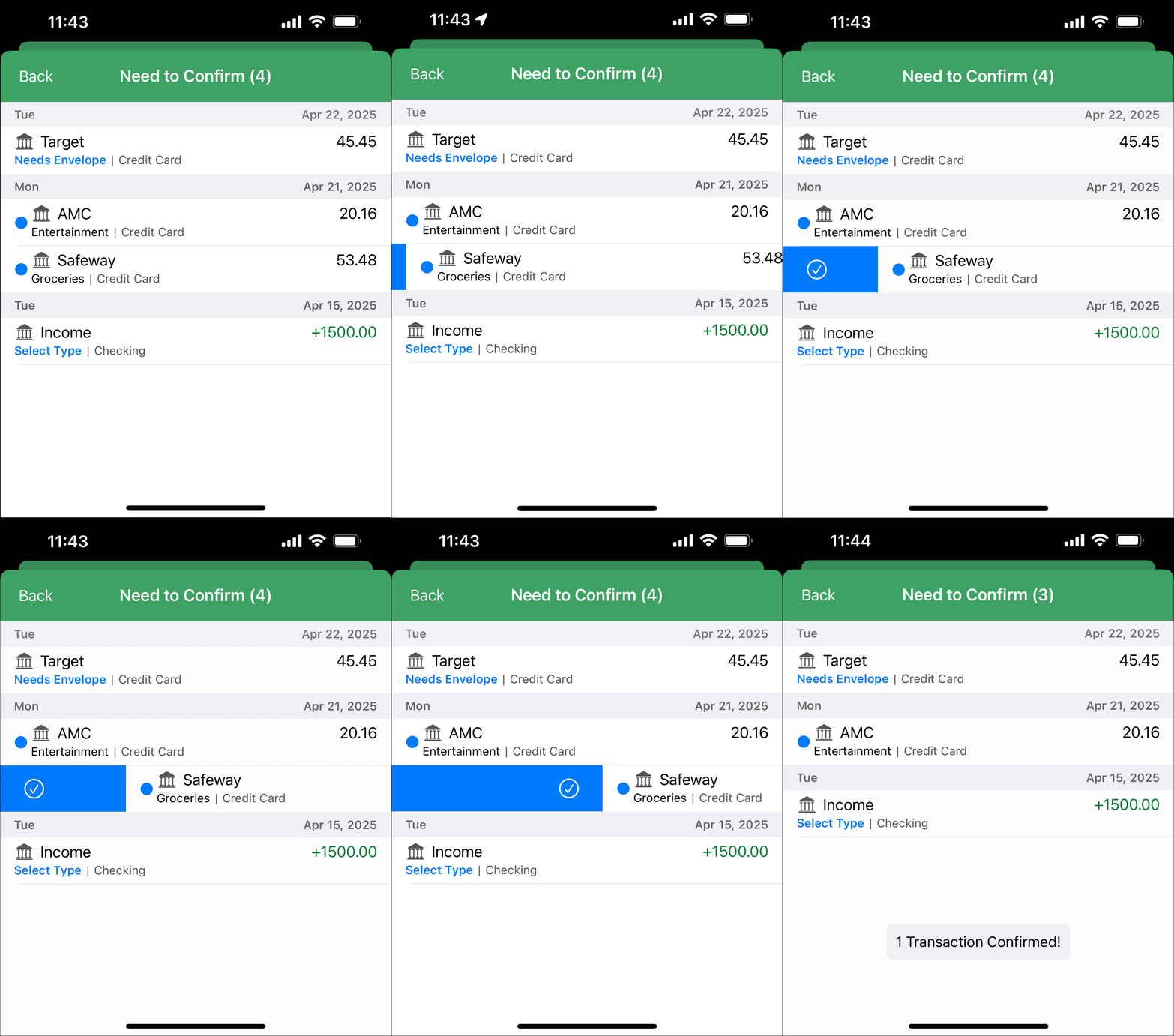
Save even more time by swiping any blue dots you see on the Need to Confirm screen instead of tapping multiple times to confirm your transactions.
Learn more about Swipe on our blog.
Happy budgeting,
The Goodbudget Team