If you want to delete all transaction history and start fresh, use the Clear All My Data option.
Clearing your transaction history is permanent, and cannot be undone.
Steps to clear your data from the web
- Click My Household in the top right corner.
- Select Clear All My Data from the left menu.
- Click the red button: “Yes, please DELETE ALL MY DATA.”
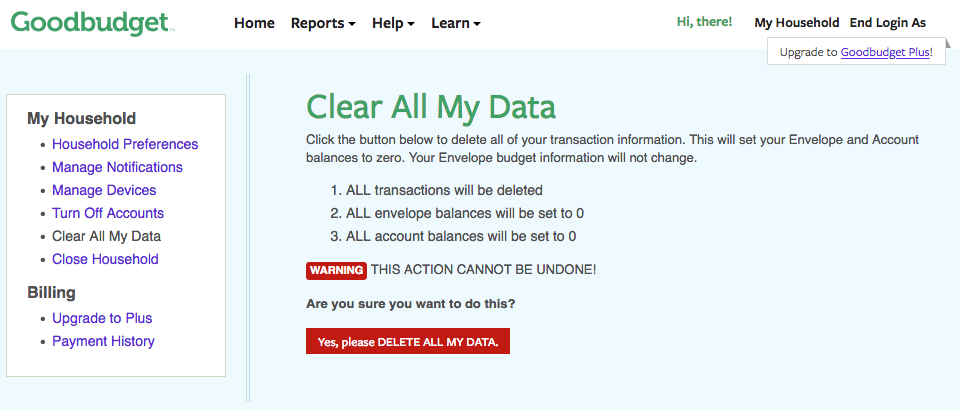
Once confirmed, your transaction history will be permanently deleted.
What happens when I clear my data?
When you clear your data:
- All transactions are deleted
- Envelope and Account names stay the same
- Budgeted amounts stay the same
- All Envelope and Account balances are reset to 0
This gives you a clean slate while keeping your budget structure intact.
What happens to linked bank accounts (Premium plan)?
If you’re on a Premium plan and have linked bank accounts:
- All previously imported transactions will be deleted and will not be re-imported.
- Your bank connections will remain active.
- New transactions will continue to import automatically going forward.
You won’t need to relink your bank accounts.
IMPORTANT: this action cannot be undone
Clearing your data cannot be undone. Once deleted, transactions cannot be restored.
If you’re not sure clearing transactions is the best option, consider a different option.
You can export your transactions first so they’re saved for future reference.
Alternatively you can refresh your budget using Goodbudget’s Get Back on Track guide. With the latter option, you’re able to keep all transactions.
*This article was written by humans, restructured for scannability using GenAI, and reviewed by humans.