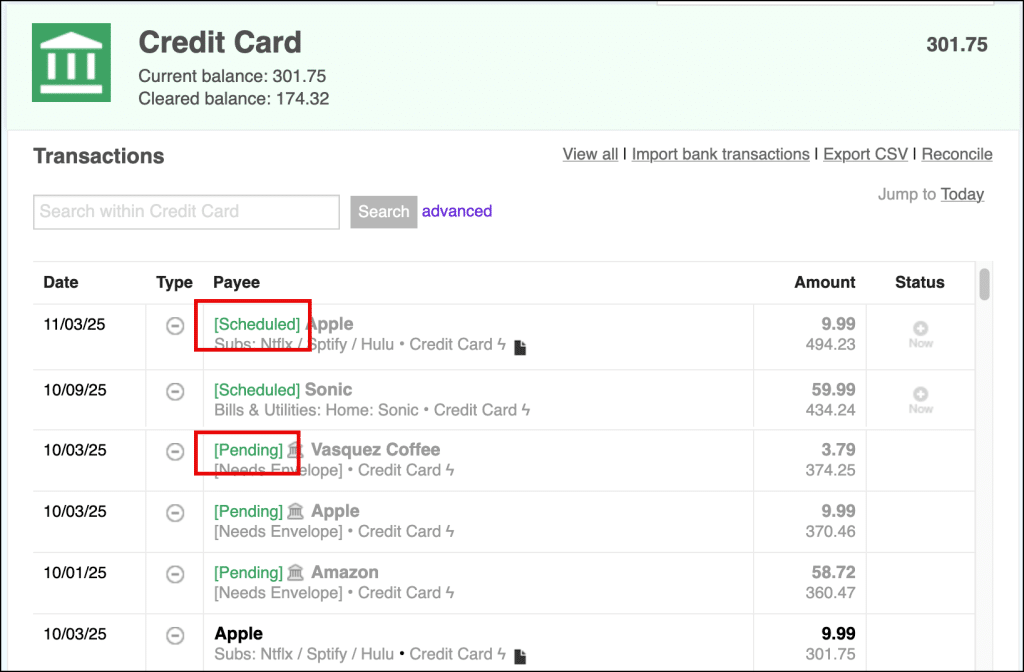
When you link a Goodbudget Account to your real-life bank account using the Premium plan, you’ll soon start receiving ‘pending’ transactions.
These are transactions you’ve already made, but that haven’t been cleared yet.
Knowing whether or not a transaction is still ‘pending’ is important. For example, funds from ‘pending’ incomes are generally not available for spending until they’ve been posted or cleared, so seeing that status might be the difference between overdrafting your account or staying in the black.
You can see ‘pending’ transactions on the web, and on your iPhone.
What are [Pending] transactions?
‘Pending’ transactions are imported from your bank via a linked Account, and represent a purchase you made that hasn’t been fully processed by the merchant. You’ll see ‘pending’ transactions when you log in to your online bank.
Goodbudget imports your ‘pending’ transactions to help you see which purchases you’ve already made, but that haven’t impacted your bank account balance yet.
A ‘Pending’ transaction looks like this:

Once your bank informs Goodbudget that the transaction has cleared, Goodbudget will remove the previously ‘pending’ item, and post a cleared version of the transaction that you can categorize and confirm.

Because the details of ‘pending’ transactions, including the amount, often won’t be final until they clear, ‘pending’ transactions cannot be categorized into Envelopes, nor can they be edited.
‘Pending’ transactions also do not impact the current balances of your Envelopes or Accounts. However, you can see a preview of how a ‘pending’ transaction may impact your running balance.
Where can I find my [Pending] transactions?
‘Pending’ transactions will be visible near the top of your transaction history below all scheduled transactions on both the web and your iPhone.
You’ll see ‘pending’ transactions on the Home page, in the Accounts view, or in Envelopes where Goodbudget could guess where the Payee of the ‘pending’ transaction belonged.
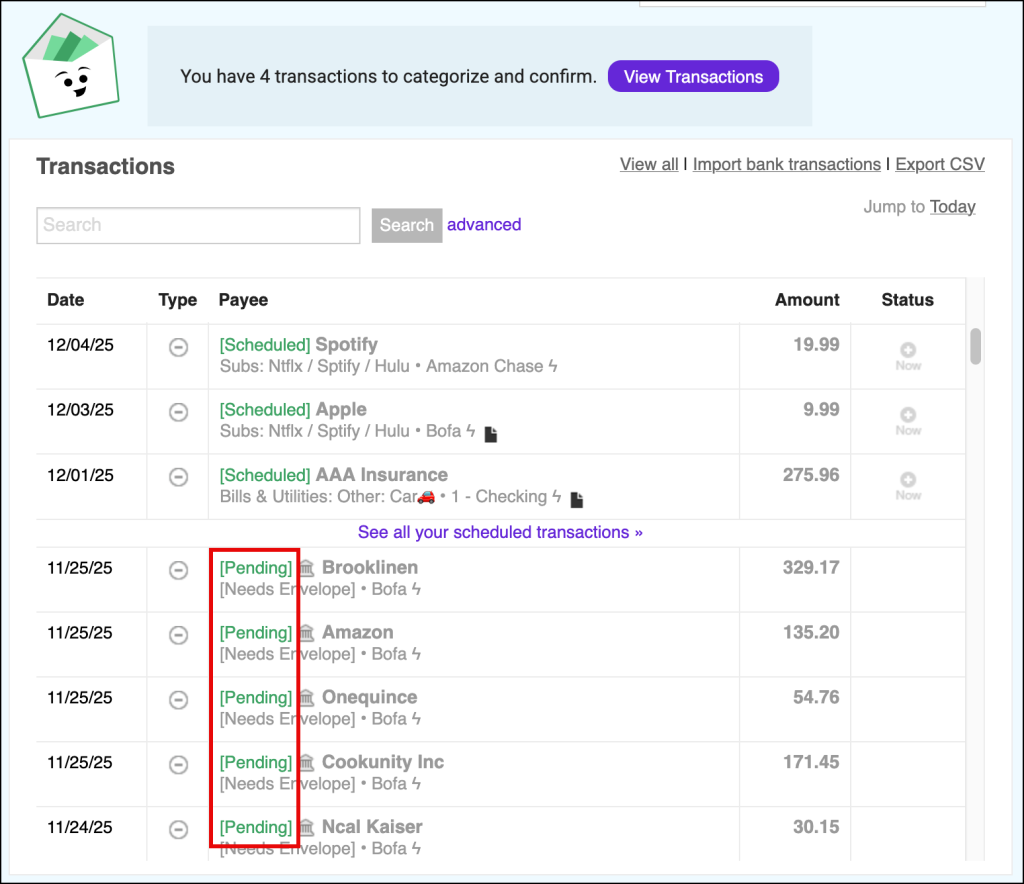
Q: Are [Pending] transactions in Goodbudget different from the [Scheduled] ones I created?
Yes! Scheduling transactions allows you to create one-time or indefinitely recurring items that will populate in Goodbudget on a future date.
Scheduled transactions can be found at the top of your Transactions history and will be marked with a green [Scheduled] notation.
‘Pending’ transactions cannot be manually created as they are automatically imported from your bank via a linked Account. They signal that purchase has already been made, and that your bank is in process of finalizing the purchase with the merchant.